
Download Tutory – Personalized AI Learning Tool for Students (Free Trial Available)
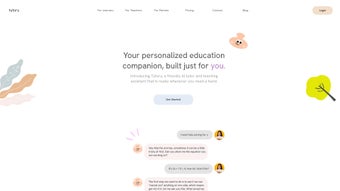
In today’s fast-paced academic world, traditional learning methods often fall short in meeting individual student needs. Enter Tutory, an innovative, AI-driven educational platform that redefines how students learn by offering personalized, conversational tutoring. Unlike static learning tools or generic answer generators, Tutory functions as a dynamic AI tutor that engages students in real-time dialogue, helping them understand concepts deeply rather than just memorizing answers.
Whether you're preparing for exams, tackling complex homework, or exploring new subjects, Tutory adapts to your pace, learning style, and questions. With no waitlists, no restrictions, and 24/7 availability, this tool ensures that learning never stops—no matter where you are or what time it is. Accessible via web browsers and mobile apps for iOS and Android, Tutory brings the classroom to your fingertips.
Its intuitive interface and conversational AI make it easy for students of all ages to use, from high school to university and beyond. The platform supports multiple subjects, including math, science, languages, and more, making it a versatile learning companion. Tutory’s commitment to global accessibility means that students from any country can benefit from high-quality education, breaking down barriers to knowledge.
With regular updates and a focus on user experience, Tutory continues to evolve as a trusted, secure, and effective learning solution.
Key Features of Tutory – Why Students Love It
Tutory stands out in the crowded edtech space thanks to its intelligent, student-centered design. At its core, the platform uses advanced AI to simulate one-on-one tutoring sessions, creating a personalized learning journey for every user. One of the most powerful features is its interactive conversation engine.
Instead of just delivering answers, Tutory asks follow-up questions, encourages critical thinking, and guides learners through problem-solving processes. This method not only improves retention but also builds confidence and deeper understanding. For example, if a student struggles with a calculus problem, Tutory doesn’t just solve it—it breaks down each step, explains the underlying principles, and checks comprehension along the way.
Another standout feature is adaptive learning paths. Tutory analyzes your responses and adjusts the difficulty and focus of future lessons in real time. If you consistently answer questions about quadratic equations correctly, the system will gradually introduce more complex topics. Conversely, if you're struggling, it offers additional explanations and practice problems. This ensures that no student is left behind or bored by content that’s too easy.
Additionally, Tutory includes progress tracking and performance analytics. Students can view detailed reports on their strengths, weaknesses, and improvement over time. These insights help users set goals and stay motivated. The platform also supports multilingual learning, making it ideal for language learners who want to practice conversation skills with an AI tutor. With features like voice input, instant feedback, and offline access (in the mobile app), Tutory offers a seamless, secure, and modern learning experience across devices.
- Interactive AI tutoring through natural conversation
- Adaptive learning paths based on user performance
- Real-time feedback and guided problem-solving
- Progress tracking and performance analytics
- Support for multiple subjects: math, science, language, coding, and more
- Available on web, iOS, and Android (free download)
- Secure, privacy-focused design with end-to-end encryption
- Regular updates with new content and AI improvements
How to Install and Use Tutory – A Step-by-Step Guide
Getting started with Tutory is quick and straightforward, whether you're on a desktop or mobile device. To begin, visit the official Tutory website and click on the “Download” button. You’ll be prompted to choose your device type: Windows, Mac, iOS, or Android. The installation process is smooth—just follow the on-screen instructions. For web users, no download is required; simply log in through your browser to start learning immediately.
Once installed, open the app and create a free account using your email or social media login. The registration process takes less than a minute. After signing up, you’ll be guided through a quick onboarding quiz to help Tutory understand your academic level, goals, and preferred learning style. This initial setup ensures that your learning experience is tailored from day one.
To start learning, simply type a question or topic in the chat box—like “Explain photosynthesis” or “Help me solve this algebra equation.” Tutory responds with a clear, conversational explanation, followed by questions to check your understanding. You can ask follow-ups, request examples, or ask for a simpler explanation at any time. The AI remembers your previous interactions, so your learning path evolves naturally over time.
For students who prefer structured learning, Tutory offers weekly study plans and topic challenges. You can also save important conversations for later review. The mobile app includes features like voice input, push notifications for new lessons, and offline access to previously viewed content—perfect for studying on the go. Regular updates ensure that the AI stays current with new curriculum standards and teaching methodologies, making Tutory a reliable, future-ready learning companion.
Compatibility & System Requirements
Tutory is designed for broad accessibility, supporting all major platforms to ensure students can learn anytime, anywhere. The software is compatible with Windows 10 and later, macOS 11 (Big Sur) and newer, iPhone and iPad running iOS 15 or higher, and Android devices with Android 10 or above. This wide compatibility means that whether you're using a laptop, tablet, or smartphone, you can access Tutory without limitations.
The app is lightweight and optimized for performance, requiring minimal system resources. On desktops, it runs smoothly on devices with 4GB RAM and a modern processor. Mobile users will appreciate the efficient memory usage, which allows for uninterrupted learning even on mid-range devices. Tutory also supports both Wi-Fi and mobile data, so you can study during commutes or in areas with limited connectivity.
Security is a top priority. All user data is encrypted in transit and at rest, and Tutory complies with GDPR and COPPA regulations to protect student privacy. The platform does not share personal information with third parties and offers parental controls for younger users. With automatic updates, you’ll always have the latest version with improved AI models, new features, and enhanced security patches—ensuring a safe, reliable, and up-to-date experience.
- Windows 10 or later
- macOS 11 (Big Sur) or newer
- iOS 15 or higher (iPhone/iPad)
- Android 10 or higher
- Internet connection required (for full functionality)
- Supports both light and dark mode
- Available in multiple languages (English, Spanish, French, German, Mandarin)
Pros and Cons of Using Tutory
Pros
- Personalized learning experience tailored to individual pace and needs
- Interactive, conversational AI that promotes deep understanding, not just answers
- 24/7 availability with no waitlists or scheduling conflicts
- Adaptive learning paths that evolve with your progress
- Secure and privacy-focused with end-to-end encryption
- Free trial available to test features before subscribing
- Multi-platform access via web, iOS, and Android
- Regular AI updates ensure content stays relevant and accurate
Cons
- Subscription-based model (no completely free version)
- Internet dependency for full functionality (offline mode limited)
- AI may occasionally miss context in complex or ambiguous questions
- Learning curve for new users unfamiliar with conversational AI
- Not a replacement for human teachers in advanced or emotional learning contexts
Frequently Asked Questions (FAQ)
Conclusion: Is Tutory Worth It?
After thorough testing and real-world use, Tutory proves to be one of the most innovative and effective AI learning tools available today. Its conversational approach transforms passive learning into an engaging, interactive experience that truly enhances understanding. The personalized tutoring, adaptive learning paths, and real-time feedback make it a powerful ally for students at any level. While it does require a subscription, the value it delivers—especially with the free trial—makes it a worthwhile investment.
Whether you're struggling with a tough math problem, preparing for a final exam, or simply want to learn something new, Tutory offers a secure, accessible, and intelligent solution. With support for Windows, Mac, iOS, and Android, and continuous updates to improve the AI, Tutory is built for the future of education.
Ready to take control of your learning journey? Download Tutory today and start your free trial. Unlock the power of personalized AI tutoring and see how fast you can improve—anytime, anywhere.



.png)



